




Dear Friends,
DONNO BIKES has always endeavoured to give maximum value to its customers. Our caring team works hard every day.

With love and thoughtfulness for you, we have today followed a step-by-step guide on how to apply for a BONUS MOBILITY refund. With love and thoughtfulness for you, we have produced below a step-by-step guide on how to apply for reimbursement, so that you can help yourself and know what you are entitled to.
1. VISIT THE WEBSITE www.buonomobilita.it , enter your town of residence and click SIGN IN / REGISTER

2. SELECT THE 'REQUEST VOUCHER OR REFUND' OPTION
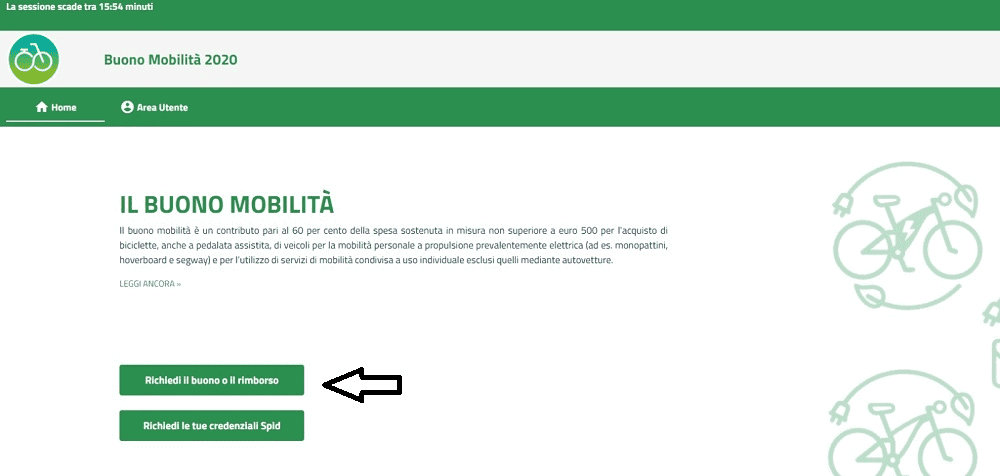
3. CHOOSE YOUR SPID PROVIDER AND CLICK ON 'LOG IN WITH SPID'.
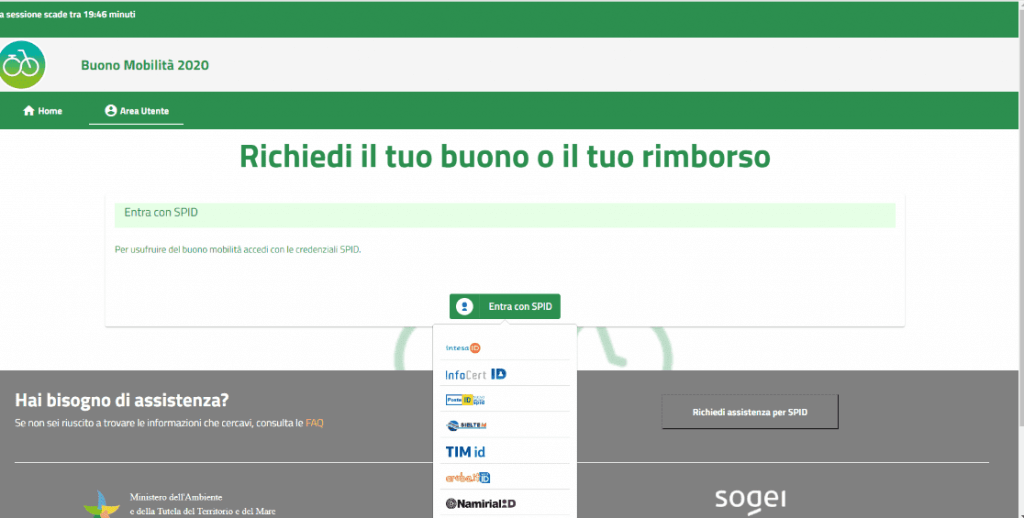
4. ENTER YOUR SPID CREDENTIALS AND PRESS 'CONTINUE'. WE DID IT WITH INFOCERT AND TESTED "POSTE ID" AS WELL

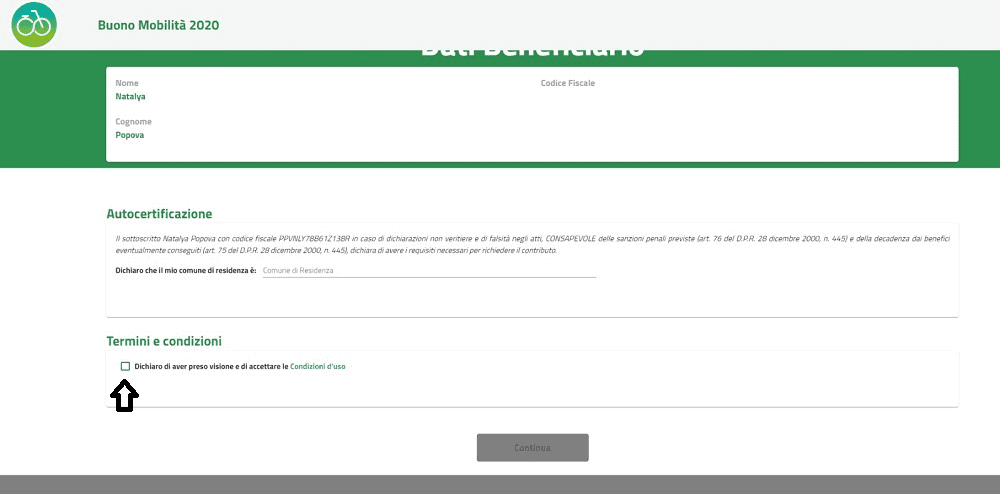
5. ENTER YOUR MUNICIPALITY OF RESIDENCE, ACCEPT THE TERMS AND CONDITIONS AND PRESS CONTINUE
6. CHOOSE THE OPTION 'Already purchased? Request a Refund" option
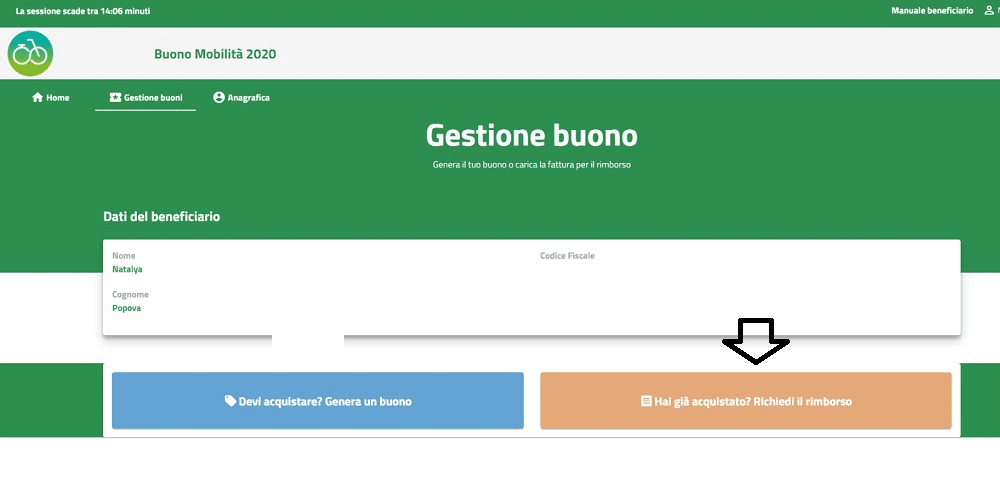
7. RECONFIRM YOUR INTENTION
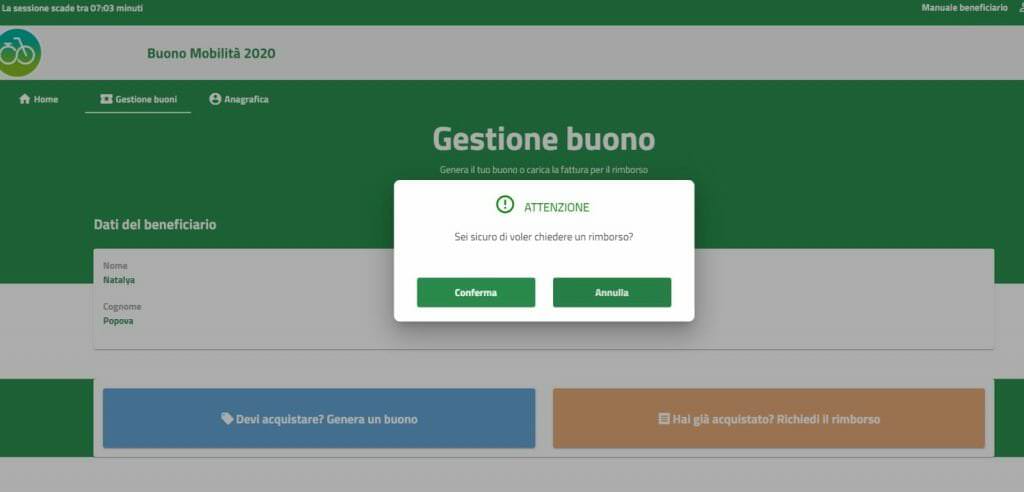
8.ENTER ALL REQUIRED DATA
Many families start with a electric cargo bike and never go back to owning a second car.
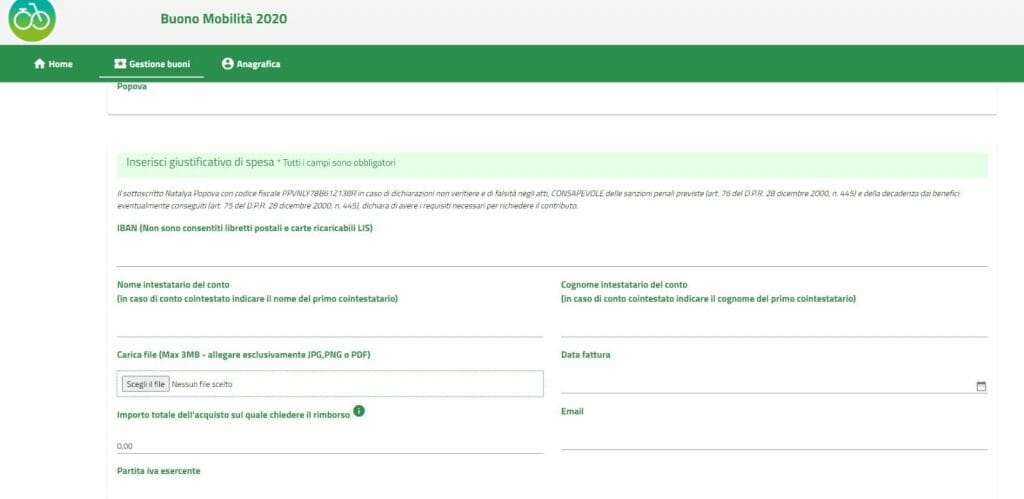
9.ATTACH INVOICE
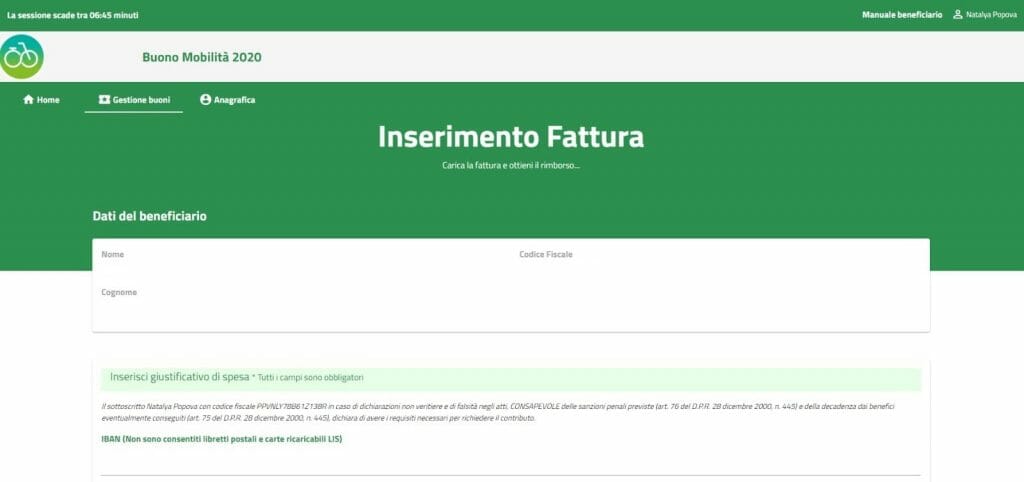
10. AND VOILA, HERE IS THE FILE OF ONE OF OUR CUSTOMERS PERFECTLY ACCEPTED!
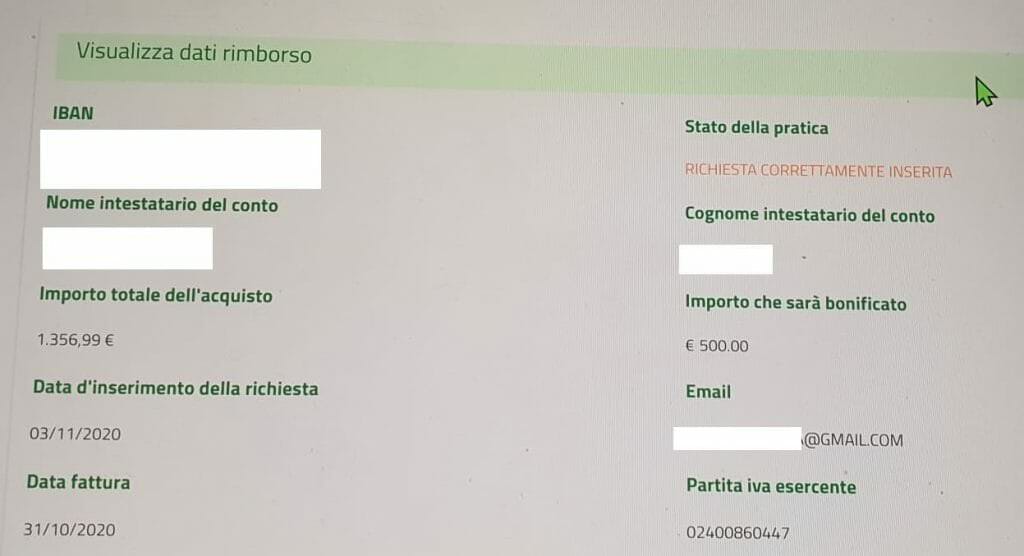
We made 'the request' with both POSTE ID and INFOCERT. Initially they both stumbled. So we found ourselves back in the 'waiting room' with more than 600,000 people in front of us. But despite this we managed to go ahead and 'finish', without of course sending the request. And so the last screenshot is not ours, but that of one of our customers.
The advice we would give you is to log in from multiple browsers, so as not to have to start the application from scratch in case something goes wrong. And also not to delay, but rather to act as soon as possible. It is very predictable that the funds will not last much longer.
Your Donno Bikes Team
Find your bike
IDEAL now!
A free consultation!


